Accessibility introduction
Flowplayer Native is built to support accessibility for viewers with disabilities. To make your players accessible, you provide subtitles, enable keyboard navigation with the keyboard plugin and translate the player interface into your audience's language.
Table of contents
Accessibility
Today's World Wide Web attempts to be more inclusive and accessible for people with disabilities or other handicaps. Standards recommendations like WCAG 2.1 strive to help achieve this goal.
Flowplayer Native is built to support accessibility, but you as a content owner need to take the following actions:
- Provide a textual representation of the audio track and use it as a subtitle
- Include the keyboard plugin for keyboard navigation
- Translate the player into your audience language
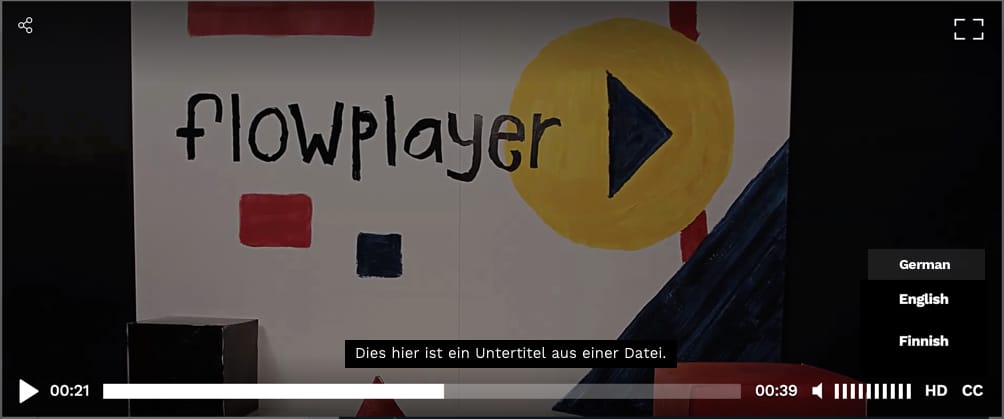
Here's a screenshot from a localized player with subtitles and keyboard shortcuts (not really seen on a still image)
Installation
Manual Javascript setup
You need to include the keyboard plugin for keyboard navigation. See the plugin documentation for available commands.
<script src="//cdn.flowplayer.com/releases/native/3/stable/plugins/keyboard.min.js"></script>OVP managed player
To enable the accessibility features in an OVP managed player, add the keyboard plugin in the plugin section of the OVP player configurator. The JavaScript (ESM) embed code then loads it automatically together with the player:
<div id="player-[your source id]"></div>
<script type="module">
  import flowplayer from "https://embed.flowplayer.com/[your player id]/[your source id].js";
  flowplayer("#player-[your source id]", {});
</script>
If you don't want to enable the plugin in the player configuration, import its ESM module yourself and register it before you create the player:
<div id="player-[your source id]"></div>
<script type="module">
  import flowplayer from "https://embed.flowplayer.com/[your player id]/[your source id].js";
  import keyboard from "https://cdn.flowplayer.com/releases/native/3/stable/esm/plugins/keyboard.min.js";

  flowplayer(keyboard);
  flowplayer("#player-[your source id]", {});
</script>
In legacy async embeds, you can alternatively load the plugin with "plugins": ["keyboard"] in the embed code JSON.
Configuration
No additional configuration is needed for the keyboard plugin. For full accessibility, make sure to offer captions/subtitles and localize the player.