Table of contents
Livestream analytics
We provide a very detailed livestream analytics view for each video inside of your livestream view for you to quickly understand how an asset is performing.
Real time viewers
During the livestream you can see constant updates about the number of viewers in real time and after the event you can see the number of simultaneous viewers per minute during the event.

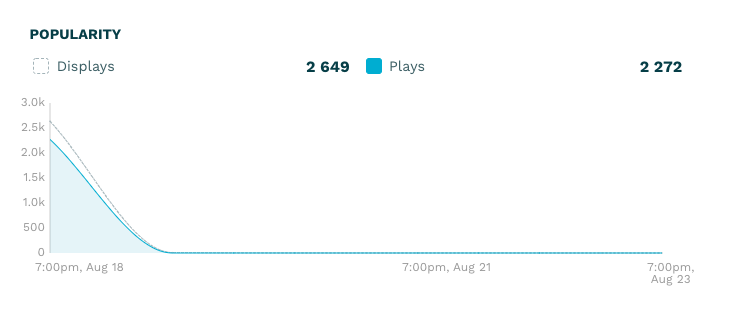
Displays and Plays
We have found that for most content the most interesting period to view the content analytics is the first few weeks after the content is published to see what interest there is in the content. This is especially true if you have livestreams since they often only last for a few hours.
Devices and Operating systems
This section is similar to the Dashboard except this view is for an individual livestream. Please refer to the dashboard analytics help.
Top Hostnames
This section is similar to the Dashboard except this view is for an individual livestream. Please refer to the dashboard analytics help.
Top Players
This section is similar to the Dashboard except this view is for an individual livestream. Please refer to the dashboard analytics help.
Top Countries
This section is similar to the Dashboard except this view is for an individual livestream. Please refer to the dashboard analytics help.