Copying videos
Flowplayer OVP lets you copy videos (VOD assets) from a different Workspace to the current one without reuploading the original again.
Your user account needs access to the Workspaces you want to copy from. You might need to check with your Organization admin.
Table of contents
Selecting videos to copy
-
In the Videos overview click "Add Videos"
-
Click "Copy from workspace"
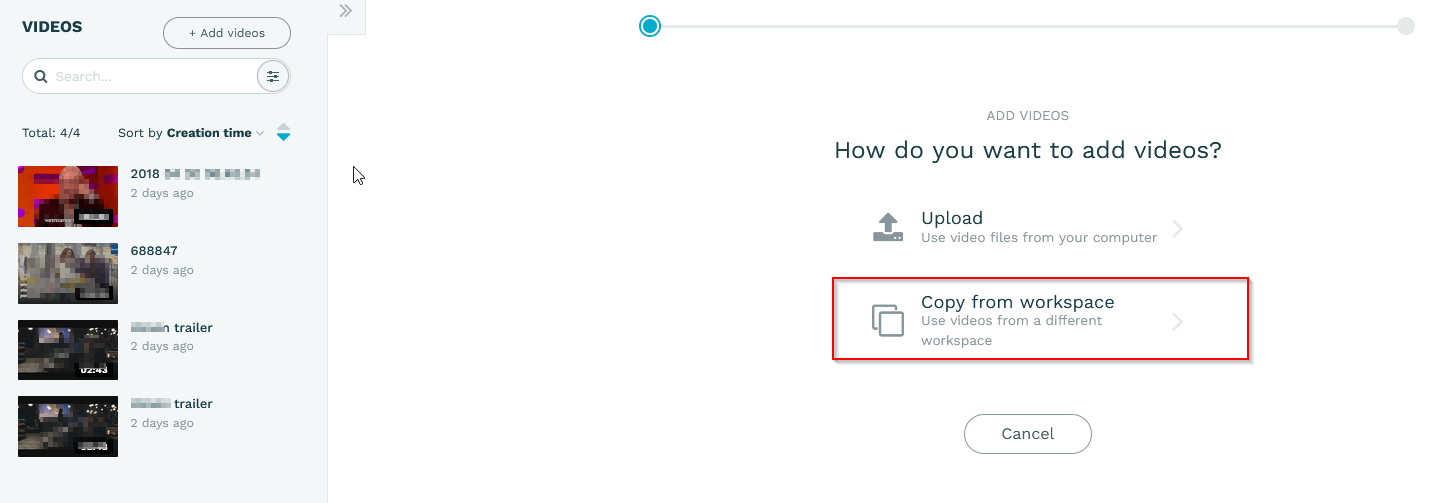
-
Select the videos you want to copy
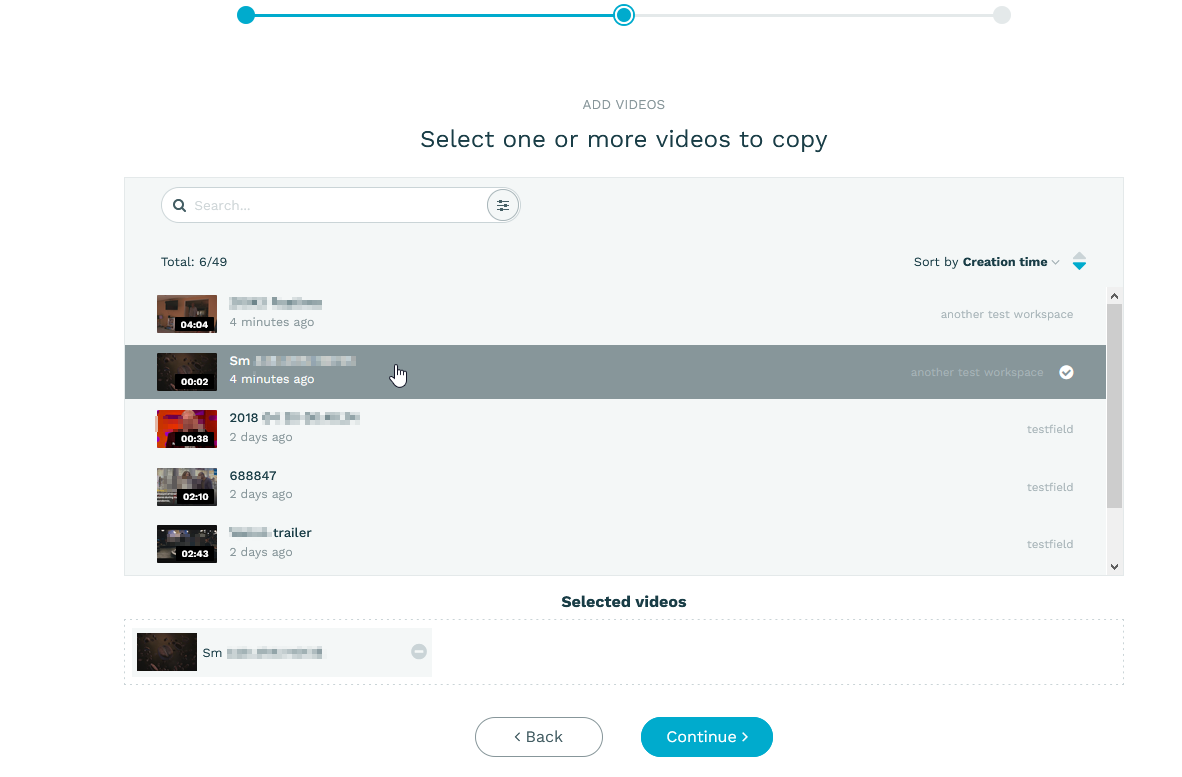
You can add videos to the copy list by clicking on them. You'll see the Workspace a video belongs to on the right.
Configure options before copying
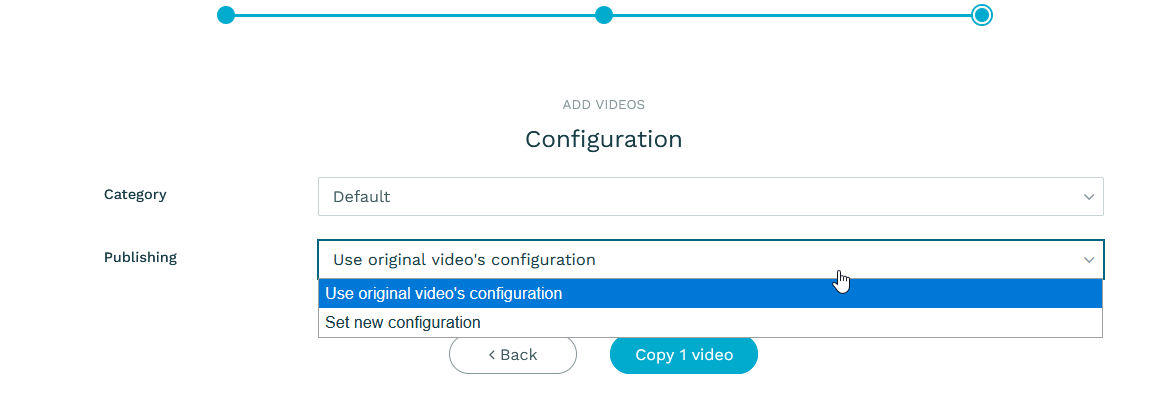
In this dialogue you can choose a category for the videos, and also whether they should retain the publishing settings (ie the schedule) or receive new publish/unpublish dates.
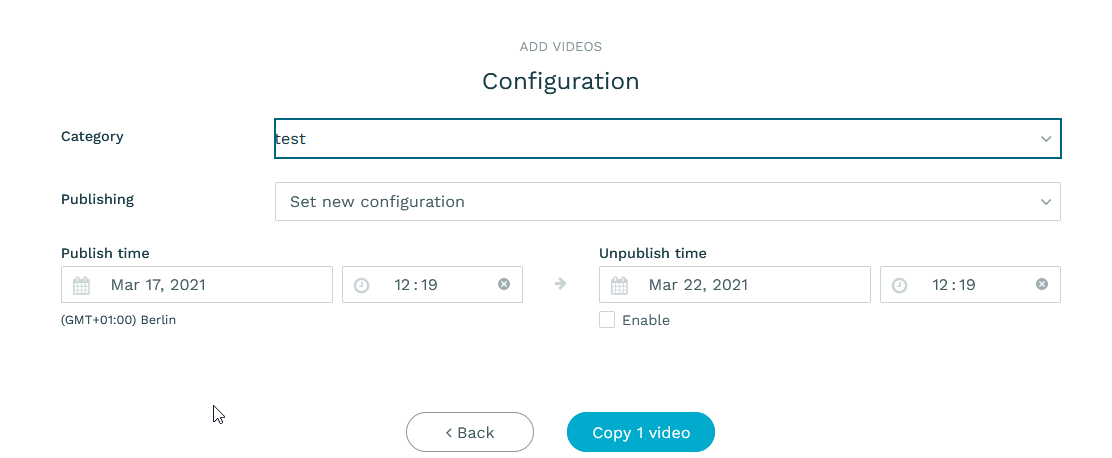
The selected options will be applied to all videos. If you need to set different options for some clips, add them in a separate batch.
Please note that shallow copies just invoke the original video; therefore they will stop working if the original video is deleted. You also cannot create animated previews for them. If playback tokens are set on the original, the shallow copy will not play since the tokens are bound to the original ID and path. Clips from shallow copies will create a new video, but are treated as copies internally.